how-to
How to Plan Smart Lighting Systems for Holiday Events
Editorial Team · Nov 13, 2026 · 12 min read
Last Updated: November 12, 2026
Quick Summary
Plan smart lighting systems for holiday events by mapping three to five control zones first, then verifying IP weather ratings, Wi-Fi strength at the controller, and power sources before buying fixtures. Preview the design on a photo of your home and test the full schedule and scenes the night before the event.
- Most properties need three to five lighting zones, from roofline and entry to landscape and accent.
- For permanent exterior use, look for a published IP rating rather than a vague indoor/outdoor label.
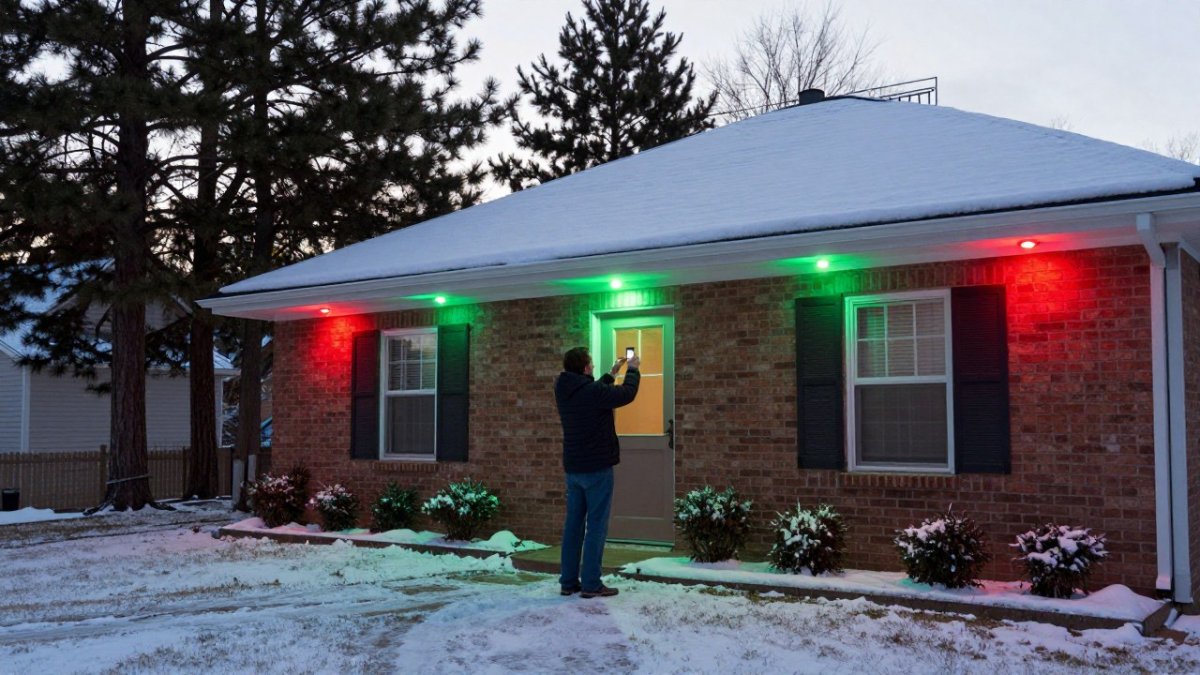
- Changing from everyday white to a holiday scene should take one or two taps in the app.
- Mount the controller with line of sight to the router, not inside metal enclosures or behind foil-backed sheathing.
- Keep walkway lighting steady and bright rather than pulsing, and favor smooth dimming over strobing.
Table of Contents
- Start With a Lighting Plan, Not a Shopping List
- Smart Outdoor Christmas Lights: What Actually Survives Winter
- Smart Christmas Lights With App Control: What to Expect
- Permanent Outdoor Holiday Lights vs. Seasonal Strings
- Smart Lights That Sync With Music: Setting the Scene
- Power, Connectivity, and Safety Planning
- Matching the Lighting Plan to the Event and the Venue
- Preview Your Holiday Lighting Before You Commit
- Frequently Asked Questions
Start With a Lighting Plan, Not a Shopping List
Most people buy smart lighting systems for holiday events the way they buy a new phone: they pick the shiniest option and figure out the details later.
Curb Appeal Permanent Lights provides professional installation of app-controlled systems for homes and businesses in Michigan.
The core rule: a lighting plan maps where light goes, when it turns on, and what it needs to run.
Map Your Zones Before You Buy
Zones are the foundation of any lighting plan. A zone is a group of lights you control together, and most properties need three to five of them.
- Roofline zone: front eaves and gable, your most visible line of light
- Entry zone: porch, doorframe, and walkway approach
- Landscape zone: shrubs, trees, and beds near the facade
Write down each zone, its approximate length in feet, and the nearest power source. That page replaces guesswork later, a common mistake is buying one long run for the whole house, then finding the far corner has no outlet within reach.
Smart Outdoor Christmas Lights: What Actually Survives Winter
Durability decides whether smart outdoor Christmas lights last one season or ten. Look for two things: an IP weather rating and a fixture design that keeps water away from connections.
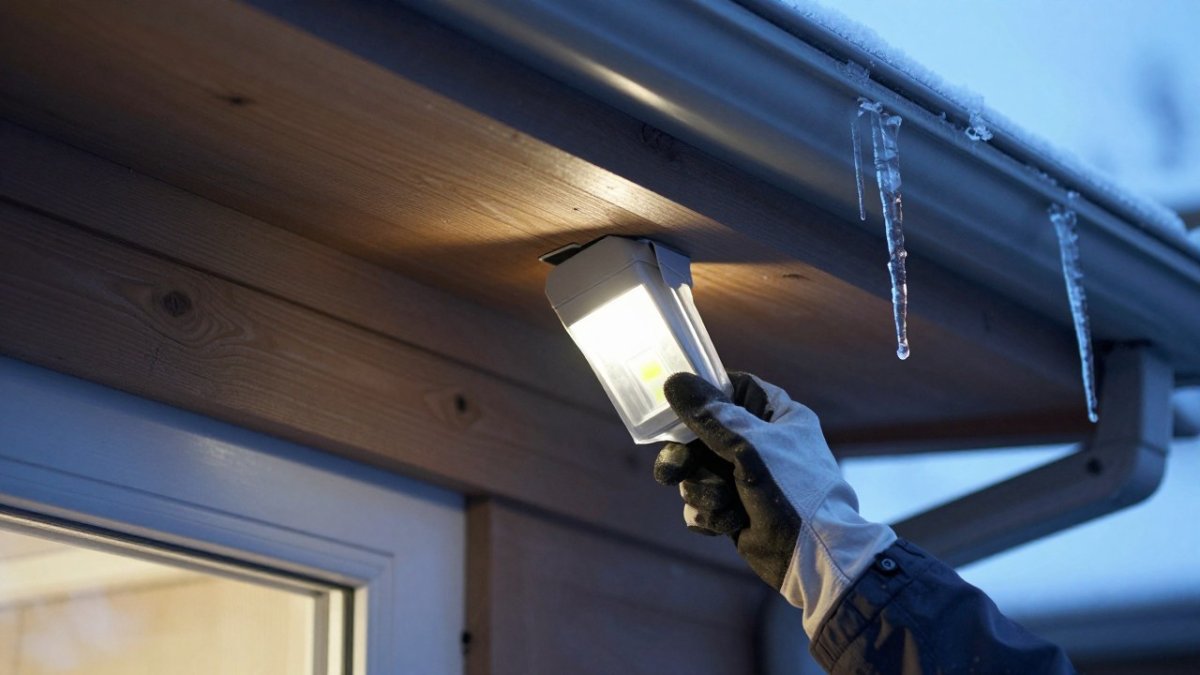
The IP rating is a two-digit code for dust and water protection. For permanent exterior use, look for a published IP rating; "indoor/outdoor" without a number gives you little to compare.
Michigan winters test both. To see that scalloped roofline pattern, our guide to discrete points of light spaced along your roofline breaks down the fixture style and compares it with LED strip.
Smart Christmas Lights With App Control: What to Expect
Smart Christmas lights with app control do three jobs: turn on and off on a schedule, switch between saved scenes, and adjust color and brightness. The difference between a good system and a frustrating one is how quickly you can do all three.
A practical test before buying: count the taps. Changing from everyday white to a holiday scene should take one or two taps, not a menu crawl.
Scheduling, Scenes, and Voice Commands
Automation is where app control earns its keep: a schedule can be set once so the lights run on their own.
- Schedules: on at sunset, off at a set time, different hours on weekends
- Preset scenes: saved color combinations for holidays, game days, and everyday white
- Custom scenes: saved colors and brightness levels you choose for events
The benefit is consistency, a scheduled display looks intentional every night, and you stop thinking about it. One caveat: voice control depends on your home network, so treat it as a convenience layer, not primary control.
Permanent Outdoor Holiday Lights vs. Seasonal Strings
Permanent outdoor holiday lights eliminate annual install and takedown work, while seasonal strings cost less up front. The right choice depends on how you weigh those two factors.
Seasonal strings mean annual labor: hanging, testing, replacing failures, and taking everything down. The holiday display becomes a setting, not a project, as we describe in our overview of a permanent lighting system that handles every holiday from one app.
Total Cost of Ownership Over Five Years
Compare the two paths on the same five-year window and the picture gets clearer.
| Factor | Seasonal Strings | Permanent LED System |
|---|---|---|
| Upfront cost | Lower | Higher |
| Annual labor | Every year, DIY or hired | None after install |
| Replacement bulbs | Frequent | Minimal |
| Ladder risk | Every season | Eliminated |
| Year-round use | Holiday only | Every night |
| Storage | Bins and boxes | None needed |
Pricing depends on quantity, dates, and delivery, so please visit the Curb Appeal Permanent Lights website for current prices or a quote.
Smart Lights That Sync With Music: Setting the Scene
Music sync can turn a static display into part of the party for graduations, game days, and backyard events.
Two practical notes. First, sync quality depends on the microphone or audio input, so test it at the volume you'll actually use, a quiet room and a loud patio behave differently. Second, pick a restrained palette: a roofline pulsing through every color reads as chaos, while two or three colors moving together looks designed. Our lighting inspiration gallery shows everyday white, holiday color, and game day looks side by side.
Power, Connectivity, and Safety Planning
Power and Wi-Fi planning helps avoid common post-install problems. Map three things before installation day: where each zone draws power, Wi-Fi strength at the controller, and how wiring will be routed out of sight.
Power: Load, Outlets, and Cord Selection
Start by adding up the load. Smart LED fixtures draw relatively little power individually, but a full roofline plus landscape zones adds up. Check the controller's rated output and the circuit's capacity before you commit, and use a dedicated outdoor circuit where possible.
- Outlets: count usable outdoor receptacles and note which are switched or on a timer; a switched outlet will kill the controller's schedule.
- Circuit capacity: confirm the total load against the breaker rating with your installer; avoid sharing a circuit with high-draw equipment like a hot tub or shop tools.
- Extension cords: use outdoor-rated cords with the correct gauge for the run length and load, voltage drop over a long, thin cord causes flicker and heat. Never daisy-chain multiple cords to reach a distant zone.
Watch out: a controller on a switched outlet or a circuit shared with a freezer will drop its schedule the first time something else cycles, verify the outlet stays live before you mount anything.
Connectivity: Wi-Fi at the Controller
Signal strength at the controller matters more than in the house. Walk to the planned controller location with your phone and check the signal at mounting height; a weak signal there causes dropped commands and missed schedules.
-
Placement: mount the controller where it has line of sight to the router or a mesh node, not inside a metal enclosure or behind foil-backed sheathing.
-
Backup control: confirm the system keeps running its schedule when Wi-Fi drops, and know how to trigger scenes manually or from a local switch.
Safety and Cable Routing
Keep cables out of walkways, keep connections off the ground and out of standing water, and have a licensed electrician handle new circuit work. For temporary event setups, tape or clip cords so guests can't trip, and keep connections above splash height.
Contingency Planning
Before the event, test the full sequence, schedule, scenes, and manual override, and write down which switch or app control runs the lights if the network fails. A five-minute dry run the night before beats troubleshooting in front of guests.
Matching the Lighting Plan to the Event and the Venue
Different events call for different plans, and the venue sets the constraints. A front-yard birthday party needs warm, low brightness and a few color accents; a storefront needs higher output and a branded palette that reads from the street; a community event needs zones that run independently so stage, walkway, and entrance each do a different job.
Build the Plan Around Three Questions
Who is watching from where, how long the event runs, and whether guests need to move safely through the space. Answer those first, then assign zones and scenes.
Venue-Specific Planning
-
Residential outdoor (yard, patio, facade): keep roofline and landscape zones on warm white as the base, and reserve one accent zone for event color. Keep brightness low to medium so guests can see faces and food without glare.
-
Community and large-venue displays: split zones so stage, entrance, and walkway can run different scenes at once, and plan a manual override for each zone in case the network drops.
Programming Scenes for Each Event
Set a base scene (warm white, low brightness) that runs by default, then build event scenes on top: a holiday palette for Christmas, orange and purple at low to medium brightness for Halloween, team colors at high output for game day, and two or three bright colors for birthdays. Save each as a preset so switching takes one or two taps.
Accessibility and Guest Comfort
For accessibility, keep walkway lighting steady and bright rather than pulsing, and avoid rapid color changes near steps or uneven ground. Some guests are sensitive to flicker and glare, so test scenes at event brightness and favor smooth dimming over strobing. Provide an adjustable-brightness control or manual switch so the display can be toned down without reprogramming.
| Event | Venue | Palette | Brightness | Timing |
|---|---|---|---|---|
| Christmas | Residential outdoor | Red, green, warm white | Medium | Dusk to midnight |
| Halloween | Residential outdoor | Orange, purple | Low to medium | Dusk to 10 p.m. |
| Game day | Residential or storefront | Team colors | High | Kickoff to final whistle |
| Birthday party | Yard or indoor space | Two or three bright colors | Medium | Event hours only |
| Community event | Large venue | Branded or seasonal | Medium to high | Event schedule |
| Everyday | Any | Warm white | Low | Sunset to late evening |
Preview Your Holiday Lighting Before You Commit
Previewing removes the biggest fear buyers have: spending money and hating the result on their own home. A concept preview shows fixture style, roofline coverage, and color theme on a photo of your actual house, so you can compare it with the original before anyone climbs a ladder.
Our visualizer lets you upload a photo, mark the roofline, choose puck or LED strip lighting, and pick a color theme. From there you can see it on your home and adjust until the look matches the architecture, whether classic colonial or modern. When the preview looks right, request your estimate and attach the concept so the quote reflects exactly what you approved.
The gap between a display you love and one you regret is almost always planning, not product. Map your zones, verify the weather rating and Wi-Fi, and preview the design on your own facade before committing.
Frequently Asked Questions
What should you look for in outdoor smart lights for holiday events?
Check four things: the weather rating, how the lights connect (Wi-Fi or Bluetooth), whether the app supports scheduling and scenes, and how the fixtures mount. Look for a rating that states the operating temperature range, since cold nights shorten the life of poorly sealed connections. Confirm the app lets you set timers and save presets so you are not resetting colors for every event. Finally, ask how the system is installed, because mounting method decides whether you are back on a ladder next November.
Can smart lights sync with music for a party?
Yes, many app-controlled systems include a music sync mode that uses your phone's microphone or a direct audio connection to match brightness and color changes to the beat. For an outdoor gathering, place the phone or controller near the speaker so the microphone picks up the audio clearly. Keep in mind that fast, flashing patterns work for a short party set but get distracting over an evening. Set a slower preset for dinner and switch to music sync when the dancing starts.
Are permanent outdoor holiday lights worth it compared with temporary strings?
It depends on how many seasons you plan to decorate and whether ladder work is a concern. Temporary strings cost less up front, but you pay for them again each year in replacement strands, clips, and either your own time or a professional's labor. Permanent systems are installed once and provide year-round architectural lighting plus the ability to change colors for holidays, game days, and events without climbing anything. Pricing depends on quantity, dates, and delivery, so visit the Curb Appeal Permanent Lights website for current prices or a quote.
How do you schedule smart lights for a holiday event?
Build the schedule in the app before the event day. Set an on time about 30 minutes before sunset so the display is already lit when guests arrive, and an off time after the last guest typically leaves. Save a scene for the event itself, such as warm white for a dinner or team colors for a game day, so you can switch with one tap. Test the schedule the night before. If your system supports it, add a second schedule for the weeks around the holiday rather than editing it daily.
